 Русский
 Հայերեն
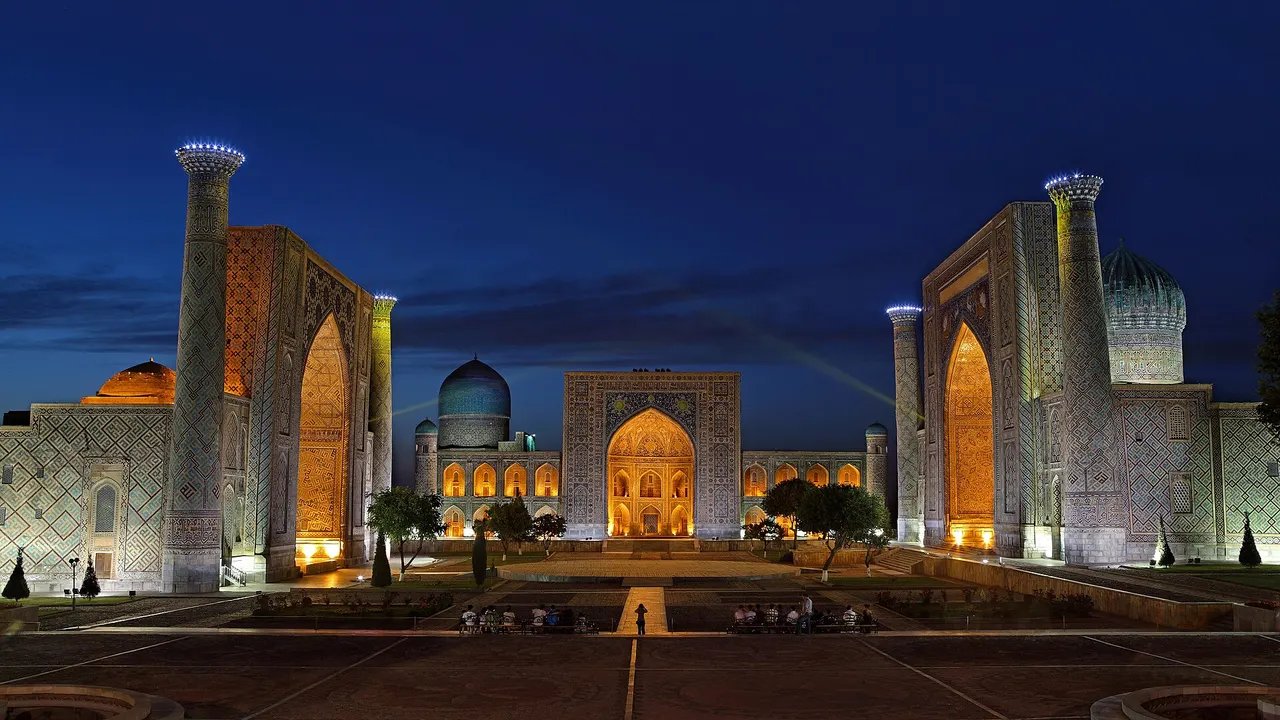
Uzbekistan means Samarkand, Bukhara, Khiva, and Tashkent, ancient architecture, and eastern bazaars. You need data for navigating the old cities, translation, taxis, and photos. Here is how to get connected without overpaying or standing in lines.
Mobile operators and coverage in Uzbekistan
The main operators are Beeline Uzbekistan, Ucell, Mobiuz (UMS), and Uzmobile. Tashkent, Samarkand, and Bukhara have solid 4G, with 5G in some places. There is coverage in the historic centers and at the bazaars, but on remote stretches between cities it can get weaker.
Roaming with your home operator
Roaming requires no action on arrival: you land, turn on data, and you are online. But mobile data in Uzbekistan on roaming from Russian operators costs more than local data, and while sightseeing in Samarkand and Bukhara with constant navigation and translation, the bill grows fast. Right after landing, your phone catches up on updates and uploads photos to the cloud, and that is where money gets lost. Before you fly, check your operator's app for the price of a day of data and what happens after the package runs out. It makes sense to keep roaming as a backup for the first few hours and use an Uzbek network through an eSIM as your main connection: it is cheaper and avoids the strict registration of a local SIM.
Physical SIM or eSIM
Uzbek SIM cards are sold at airports and carrier stores, and data is inexpensive, but registration is strict: the SIM is registered to your passport. The downsides are familiar: a line, time spent on paperwork, taking out your own SIM, and missed bank SMS messages if your phone has a single slot.
An eSIM is a SIM card built into your phone that you activate with a QR code. The advantages for travelers from Russia:
- you buy it in advance, at home, paying with a Mir card or via SBP (Russian payment methods);
- the QR code arrives by email right after payment;
- data works within minutes of landing;
- your Russian number stays in the phone, so bank SMS messages still arrive;
- no passport and no trip to a carrier store.
If the technology is new to you, here is a simple explanation of what an eSIM is.
Comparison: roaming, local SIM, and eSIM
| Roaming | Local SIM (Beeline, Ucell, Mobiuz, Uzmobile) | eSIM | |
|---|---|---|---|
| Where to get it | nothing needed | airport, carrier store | online before the trip |
| Data on arrival | right away, but expensive | after registration | right away |
| Passport | not needed | needed, strict registration | not needed |
| Your number and bank SMS | yes | only with two SIM slots | yes |
| Paying from Russia | through your operator's bill | on the spot | with a Mir card or via SBP |
| Best for | 1–2 days | a long trip with a local number | a 3–30 day vacation |
How to install an eSIM with a QR code
Install the profile at home on Wi-Fi.
iPhone: Settings → Cellular → Add eSIM → Use QR Code.
Android: Settings → Connections → SIM manager → Add eSIM → scan the code from the email.
When you land, select the eSIM line for mobile data and turn on data roaming for it. There are no extra charges: the package is already paid for. Turn off data on your main SIM.
Important for Android in Uzbekistan: sometimes data does not come up automatically, and you need to enter the access point name (APN) from the instruction email manually once. On iPhone the APN is usually picked up automatically.
Which phones support eSIM
eSIM works on iPhone XS and newer, Google Pixel 3 and newer, flagship and many mid-range Samsung Galaxy phones, and other modern smartphones; the phone must not be locked to a carrier. To check your model, see does your phone support eSIM.
How much data to get for Uzbekistan
- a tour of Samarkand, Bukhara, and Khiva with Wi-Fi in hotels: about 3–5 GB per week;
- lots of navigation, photos, and videos: 10 GB.
Wi-Fi comes to the rescue in hotels, while sightseeing in Samarkand and Bukhara your data goes to maps and translation. Here is what actually uses up your package:
- navigation and maps: about 5–15 MB per hour;
- messengers and social media (text): 100–300 MB per day;
- camera translation: 1–5 MB per photo;
- photos and videos to the cloud: use up your package fastest;
- video calls and short videos: 300–600 MB per hour and more.
The main tip is to turn off automatic photo uploads to the cloud over mobile data: your package will last noticeably longer.
What to do if you run out of data
You do not need to buy a new eSIM: you can top up the same one on your eSIM24 eSIM page or in your account, paying with a Mir card or via SBP.
Frequently asked questions
Does an eSIM work in Samarkand and Bukhara?
Yes, an eSIM uses local operators' networks, and coverage in the historic cities is good. On remote stretches between cities the signal may get weaker.
Can I pay for an eSIM with a Mir card?
Yes, at eSIM24 you can pay with a Mir card or via SBP.
What should I do if data does not turn on by itself on Android?
Enter the access point name (APN) from the instruction email manually and restart your phone; in Uzbekistan this is sometimes required on Android.
Do I need an Uzbek phone number?
Usually not for a tourist: an eSIM gives you data, calls go through messengers, and bank SMS messages arrive on your Russian number.
Summary
For a trip to Uzbekistan, an eSIM is more convenient than a local SIM with its strict registration: set it up at home, pay with a Mir card, and turn it on when you land. A local SIM suits a long stay with an Uzbek number, and roaming works as a backup.
Plans and prices are on the eSIM for Uzbekistan page.